

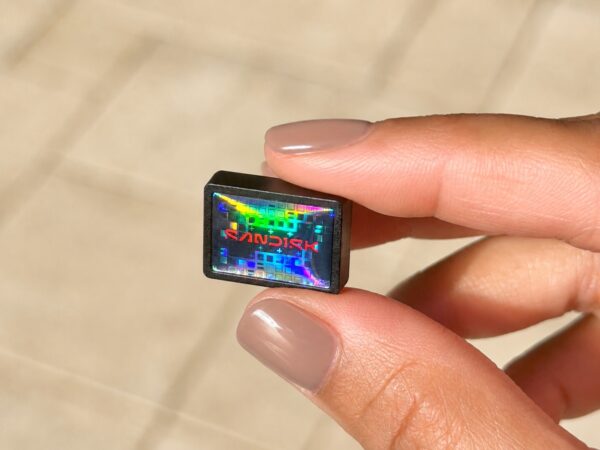
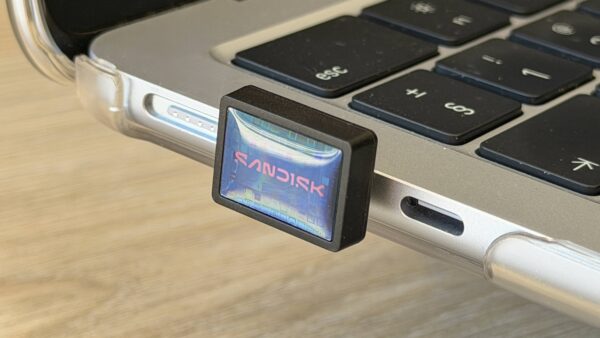
The SanDisk Extreme Fit is tiny USB-C drive that’s designed to stay in your laptop. It comes in various sizes, ranging from 128/256/512GB up to 1TB. It’s tiny but packs a punch.
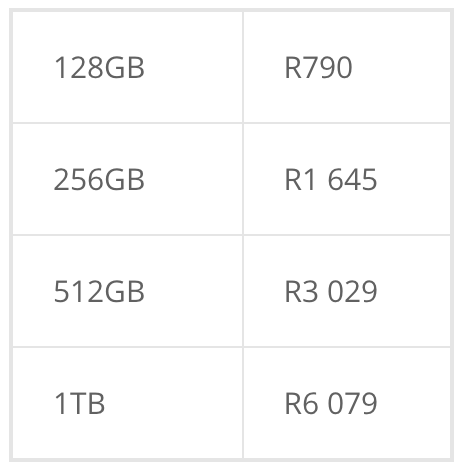
The price of memory and storage has also skyrocketed in the last year, due to the AI industry’s demands for data centres, which naturally puts a strain on consumer tech. You have may have noticed how prices changed in the last year, as such, the cost of Extreme Fit, per Amazon SA, is as follows:
SanDisk ExtremeFit Quick Look
- USB 3.2 Gen 1 transfer speeds up to 400MB/s
- Read speeds up to 300MB/s
- Compatible with Windows, Mac, Android, iOS
- Memory Zone app for Windows, Mac for backups
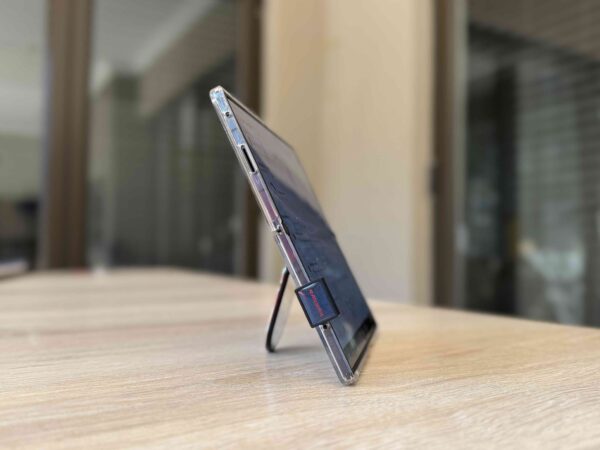
I’ve been using the SanDisk ExtremeFit between my phone, laptop and tablet. Because this isn’t a larger traditional device or gadget, I am sharing my thoughts around it in a bullet review format that is also easy to read.
Bullet review: SanDisk Extreme
- It’s a great option for photographers and content creators who want to move content from mobile devices (photos, videos, docs) instead of professional video editors doing 4K edits.
- I can easily move large files between my MacBook, iPhone and Android tablet.
- It’s faster than a typical USB stick but better to play your 4K files from.
- Because of the size of files you’re dealing with, it may get hot.
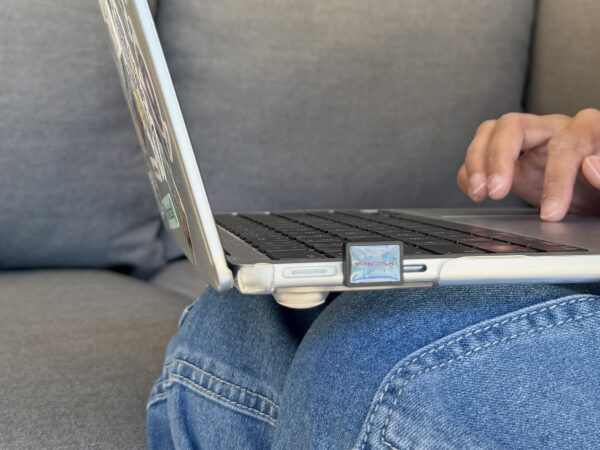
- The reason it’s so small, it’s mean to be plugged into your device, like a laptop.
- It’s so small that it can fall out of my fingers (when I took pics). When keeping it in a bag if not plugged into a device, take care you don’t misplace it as you can’t attach it to a keychain.
- I like that it also gives me the option to back up my phone on Android (photos, contacts, videos, documents, audio).
- There’s another layer of security: you can also encrypt files by creating a vault.
- You get the fastest speeds on Thunderbolt 4.
- It’s fantastic to travel with and move content over without the bulk.
- Because of the shape of the drive, I cannot use my second USB-C port at the same time on my MacBook Air.
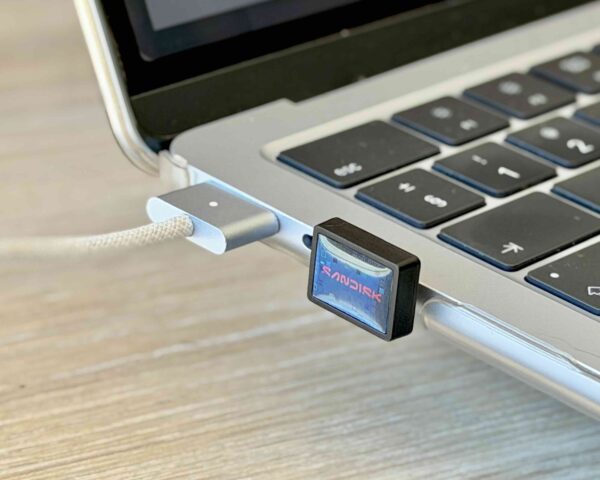
- It’s also good way to “expand” storage on devices that have limited storage, i.e. to keep plugged into laptops or tablets all the time.
- Even though it’s okay to backup contacts, etc documents on devices, it’s not recommended for a laptop backup; rather use an SSD, like the SanDisk Extreme SSD that I’ve tested before.
- Keep in mind that if it’s permanently plugged into a device like a tablet or laptop, it may get damaged from being knocked around or accidentally bumping it on something.
- You don’t need cables for it like an SSD.
TL;DR – If you’re a content creator running out of phone storage, this might be a great solution for you, especially if you want to move files to your laptop. It’s also good for backups like for contacts, documents on phones or tablets, plus as an external storage for a tablet with limited storage.

2 Comments
Leave a Reply

Recharged is an independent site that focuses on technology, electric vehicles, and the digital life by Nafisa Akabor. Drawing from her 19-year tech journalism career, expect news, reviews, how-tos, comparisons, and practical uses of tech that are easy to digest. Nafisa is a traveller at heart, having been to 46 countries and counting. Find her edutainment videos covering tech, EVs and travel on TikTok.




I’ve been looking for separate storage for my audiobooks. Price point is a bit hectic though.
Yeah, storage prices have skyrocketed because of AI.