

I had an opportunity to try the Meta Ray-Ban Display glasses with the Neural Band at the Meta stand at MWC Barcelona.
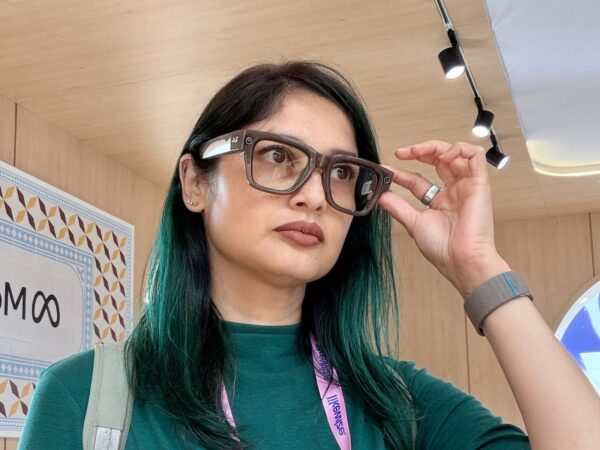
It was my free day in the city, so I went back to the show to find cool stuff and didn’t mind queueing to try it on as there was no other agenda.
Readers of Recharged may recall that I purchased a pair of Ray-Ban Meta glasses in New York a few years ago, so naturally I wanted to try it to see how different it is; I know they are different products.
I am also aware about the privacy concerns around them and personally would not record anyone without their consent but totally understand the need to ban them in certain places, because humans can be trash.
The Meta Ray-Ban Display glasses are not AR/MR/XR glasses, they are AI-powered smart glasses with a built-in high-resolution monocular display inside the right lens. It has a 12MP camera that shoots in wide-angle.
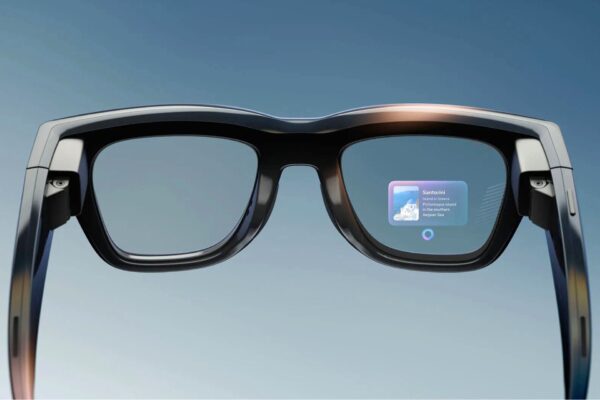
So, you, as the wearer, will be able to see info in front of you, close to your right eye, whereas anyone in front of you, will not be able to see those projections.
Meta Ray-Ban Display features
With the Ray-Ban Display glasses, you can use the camera to take pictures or record video, zoom in or out to wide angle, preview before taking pictures.
Another feature is pedestrian navigation, which would be useful if you’re a traveller and walking from place to place. It’s something I do with my smartphone and hate that it eats so much of battery life. This is a great use case for it.
Of course, there’s also messaging and video calling as the glasses have cameras, and you can also use voice commands using the trigger “Hey Meta”, which is just like my glasses or swipe the handle on your temple.
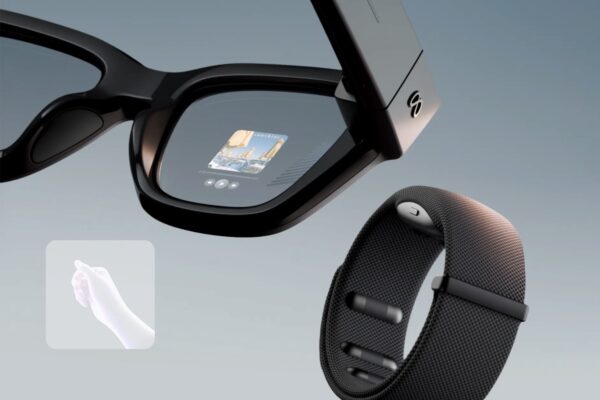
Another nifty feature is live captions and translations. Live captions are great for anyone doing a presentation or recording a video from a script, however, having purchased a teleprompter app in the past, and having the freedom to change the speed of the moving text, with these glasses, you cannot do that.
The gestures for this are are scrolling down or sideways. I mean it is a first-gen product after all. Hopefully my feedback will make it to the update, though I’m certain someone else would have thought of it too.
Live translations are great for traveling but this is something that might be easier to execute on a smartphone using Google Translate, which I’ve been using for ages. It might be a mindset change to do it on the glasses, as I don’t think it’s intuitive – I think it’s too futuristic.
Lastly, it does music playback, but this is not a feature I use on my own pair so I’m not sure how useful this would be for anyone who owns one. I’m precious about battery life and don’t see it being a feature I’d use. Earphones are much better and more isolating, which most scenarios would call for anyway.
Neural Band and gestures
The Neural Band was strapped on quite snug on my right hand as it picks up the movements on your hand for the input. It is best strapped onto your dominant hand.
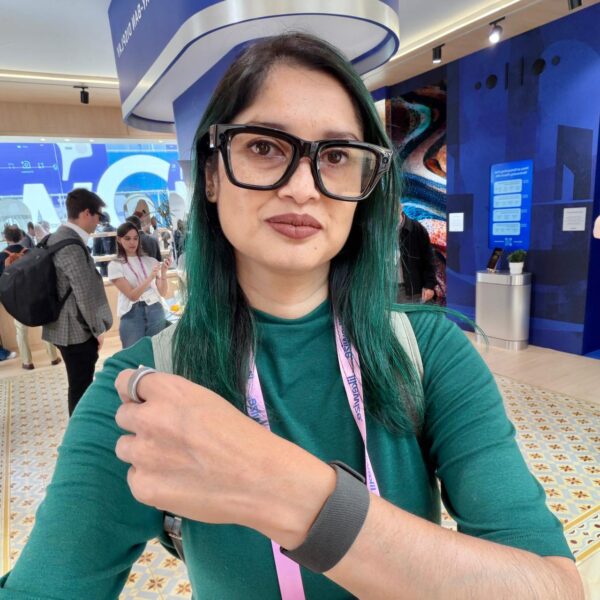
The band has sensors on it that pick up your movements and gestures, which replaces touchscreens, buttons and dials you would typically use to interact with a device.
Meta believes this would be useful for people who may be paralysed and have limited movements, if you consider the accessibility aspect.
I found accessing the menus, apps and settings quite intuitive after being shown how it works. Using your thumb and index finger, the gestures are natural.
Think swiping left or right, up and down, and then for selecting and going back, you touch the index finger and thumb, or middle finger and thumb. And there was a double tap command too.
You can also choose what feels natural to you in terms of hand placement. You can either have your hand down next to you while standing or holding it up right if that works better.
First try on and impressions
The first time I put them on, I noticed, as someone who wears prescription glasses that the text inside was not crisp, and neither was there a setting to adjust the text to be more legible.
I had this expectation from trying VR headsets, however, the Meta product specialist who was showing me the product, made a bunch of notes based on the questions I had asked.
With the display being on the side of the right lens, it does not obstruct your view. Though the text is white and I asked if could be changed – it could not, but this was another note made for feedback. I just thought with a lighter background, you may want darker text instead of white text on a light background.
I also found that it was a quick adjustment to learning how to scroll with it. We are a smartphone generation after all, so the gestures are natural.
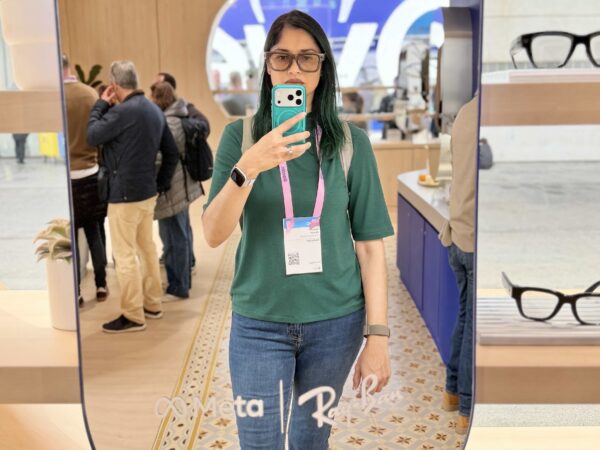
It was easy using presets on the map, like tapping for cafes nearby and bringing up what’s closest, otherwise I think voice commands would work best for anything more specific.
The Ray-Ban Display glasses come in two colours: Black and Sand and have transition lenses (like the regular RBM), so you can wear it inside or outside in the sun. It has 6 hours of battery life and a total of up to 30 hours from its charging case.
The Neural Band has 18 hours of battery life and an IPX7 water rating. It is lightweight and meant to be comfortable for all-day wear.
For a first-gen product, I think it’s great, while there is absolutely room for improvement. I think it’s a niche product for specific use cases and not meant for the mass market.
The Meta Ray-Ban Display with Neural Band is only available in the US for sale right now at the time of writing this post. It costs $799. It makes sense that it was showcased at MWC Barcelona as there are plans to introduce it to other markets like Canada, France, Italy, and the UK in early 2026, according to Meta.


Recharged is an independent site that focuses on technology, electric vehicles, and the digital life by Nafisa Akabor. Drawing from her 19-year tech journalism career, expect news, reviews, how-tos, comparisons, and practical uses of tech that are easy to digest. Nafisa is a traveller at heart, having been to 46 countries and counting. Find her edutainment videos covering tech, EVs and travel on TikTok.