
Living in South Africa means there’s a higher than average chance our phones may get stolen. I had mine stolen at a coffee shop once upon a time, and now I’m extra careful and carry a crossbody bag.
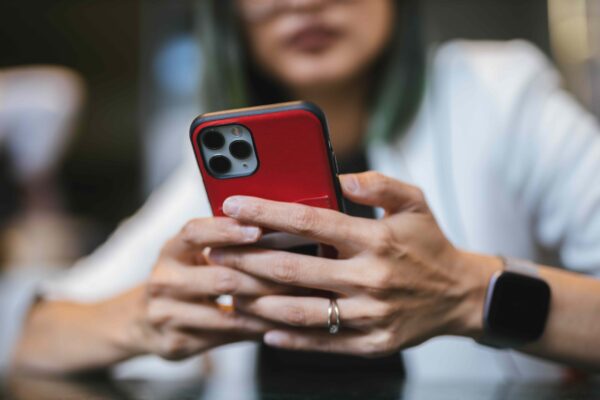
If your phone gets stolen or lost, you need to blacklist it using its International Mobile Equipment Identity or IMEI number, which gets added to the Central Equipment Identity Register, and is flagged globally.
If you want to prepare ahead of time, there are three ways to access your IMEI number:
- Dial *#06# from your phone’s keypad. You can screenshot it and mail it to yourself
- Check your phone’s box for a string of 15 digits. Dual SIM/eSIM have two sets of IMEIs
- Check the receipt/email when you purchased the device
Here’s how to blacklist your phone:
STEP 1: Call your network to block your number as step 1 (blacklist in step 3). If you can, try to get a SIM swap done ASAP to retain your number so nobody else can access your OTPs.
STEP 2: Report the theft to SAPS to get a case number. You need to go to the nearest police station from where it happened, and not the one closest to your home – trust me.
STEP 3: Call your network provider again but this time, supply them with the case number issued by SAPS and your IMEI number to blacklist the device.
STEP 4: If your phone was insured, you can log a claim with your insurance company using the case number.
Mobile network numbers to call
- Vodacom: 082 135
- MTN: 083 135
- Cell C: 084 135
- Telkom: 081 180
- Melon: Log into your account and cancel your SIM
- Rain: Log into your profile or dial 081 610 1000
In May 2025, I switched to Naked, which is currently where I have my iPhone and MacBook insured, along with the cars in our household. If you’re curious about cost, click my link here to get a quote. I saved more than 50% in premiums when I switched. Please note this is my personal referral link, and I’m not getting paid to share this link.
I found some tips on the Naked blog about blacklisting your phone:
Why should you blacklist your phone?
Basically, to prevent anyone else from using it when it’s lost or stolen. This will protect your personal information, reduce the risk of identity theft or fraud, and ensure that your phone has no resale value—making it useless to whoever took it.
Can you un-blacklist a phone?
Yep! If you manage to get your phone back, you can request to un-blacklist it. Just take your ID and proof of ownership to your network provider.
Extra ways to protect yourself
- Lock your phone with a strong password or PIN.
- Regularly back up your important data.
- Remove your phone from your iCloud or Google account to prevent someone from accessing your personal info.
- If you use online banking, contact your bank to remove the phone as a trusted device.
- Consider phone insurance in case it ever happens again.
I also wrote a post on how to port your number to any network in SA, which you may also find useful.


Recharged is an independent site that focuses on technology, electric vehicles, and the digital life by Nafisa Akabor. Drawing from her 19-year tech journalism career, expect news, reviews, how-tos, comparisons, and practical uses of tech that are easy to digest. Nafisa is a traveller at heart, having been to 46 countries and counting. Find her edutainment videos covering tech, EVs and travel on TikTok.