
I’ve been paying for iCloud+ for years now and one of the features it includes is a Custom Email Domain. This feature does not come with the free iCloud account that gives you 5GB of storage.

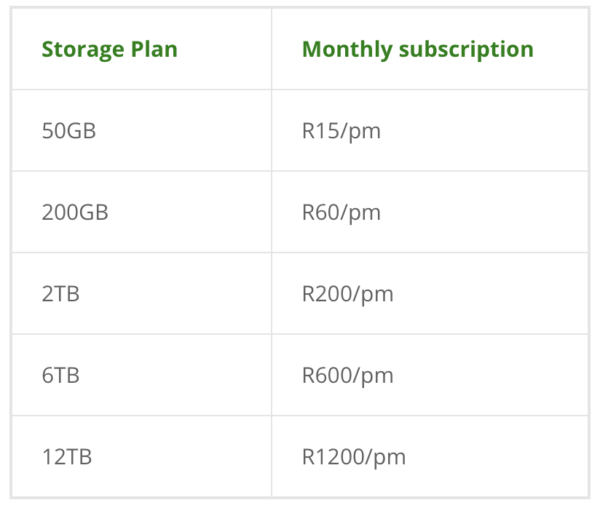
Instead, it’s on the iCloud+ 50/200GB storage plans and the 2/6/12TB iCloud+ plans. Here are what the prices look like, as of May 2026:
If you own your own domain, whether it’s for a blog, content creation or as a small business owner, you can leverage iCloud Custom Email Domain with your website to run your email.
The same way you pay for hosting a website, you also pay for someone to host your custom email address, which may be included in your web hosting. But reliability may be key in which provider you use and how much access to storage you have.
iCloud+ custom email benefit
- Up to 5 custom email domains
- Up to 3 personalised email addresses per domain
If you are a paying iCloud+ subscriber, you get a bunch of services included in the price you pay. The Custom Email Domain feature includes up to five custom domains, with up to three personalised email addresses.
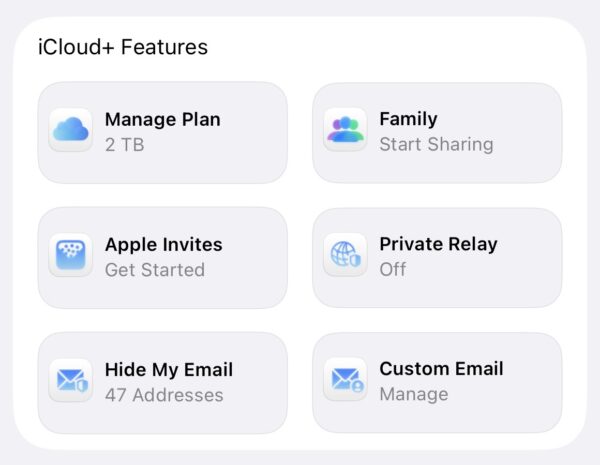
Like if you have a business email and want to create contact@test.co.za name@test.co.za or admin@test.co.za, you and have to up 3 per domain that iCloud+ will host for you. The ability to add 5 domains is great for anyone who owns multiple domains.
Why I Cancelled Google Workspace
I used to be a paid subscriber to Google Workspace for my Recharged.co.za email and when I received a notice to renew my annual subscription, it says the new fees reflect the addition of AI features, I realised I don’t want to be paying for that as I had already switched off AI features on my email. And so I finally cancelled it and switched to iCloud hosting.
I still have my other Nafisa.co.za email on Google’s legacy G Suite offering from when it was free back in the day. The product launched as G Suite, then got rebranded to Google Apps, and now it called Google Workspace. If I’m honest, I don’t know how much longer they will let me have it for free. They tried to turn it into paid but there was a lot pushback from existing users and so it currently remains free.
I am fully aware Apple Business was launched this year as a rival to Google Workspace and I could have used that. I figured I’d just use it from the subscription I was already paying for from one interface. I am open to switching to it later if the need arises.
Pre-checks before the set-up
Before you start using iCloud+ for your custom email addresses, there are a couple of conditions that need to be met as an iCloud+ user. Apple gives you a freebie iCloud email, you need to have already set that up, and presumably, you are running it on the Mail app on your iPhone, iPad or MacBook. If not, set up one first.
The second condition is that you need to have two factor authentication set up for your Apple account. I cannot stress the importance of this. If you would like to read my posts about it already:
How to set-up an iCloud Custom Email Domain
STEP 1: Log into your iCloud account. This can be done on the web or via your iPhone settings
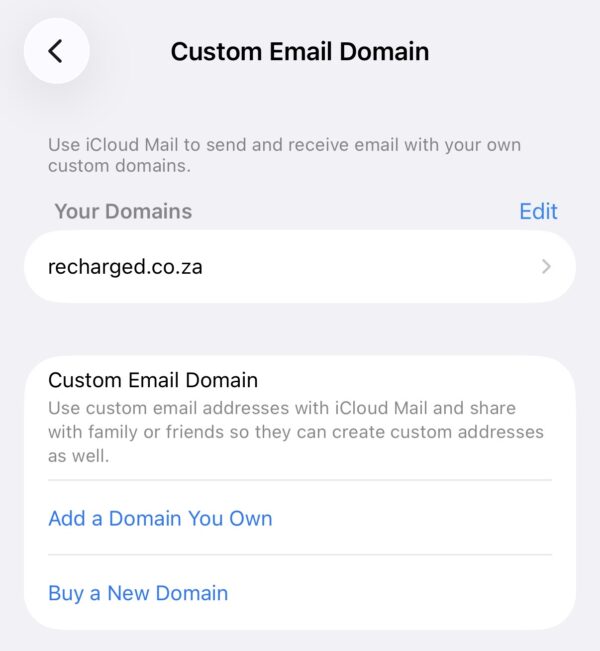
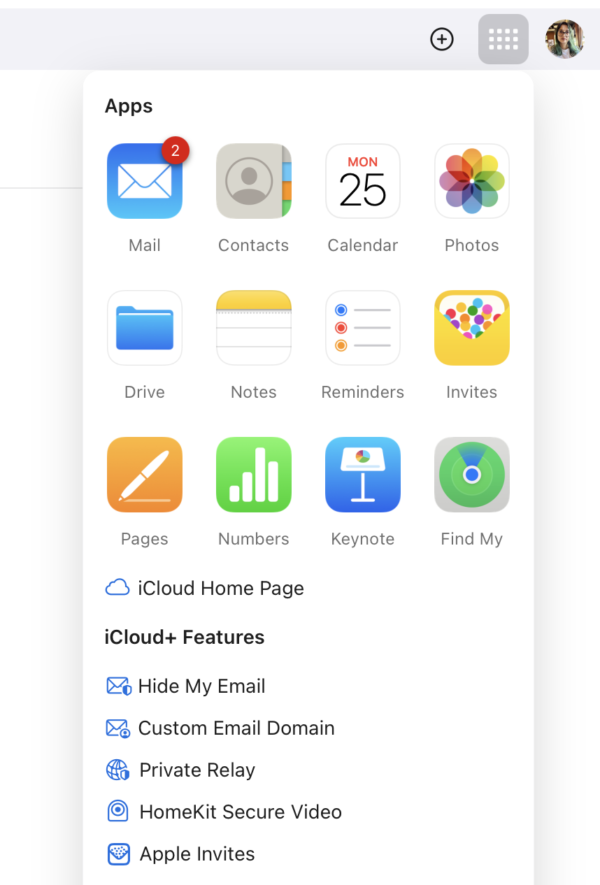
STEP 2: Click the app icons on the top right next to your profile pic and click on Custom Email Domain
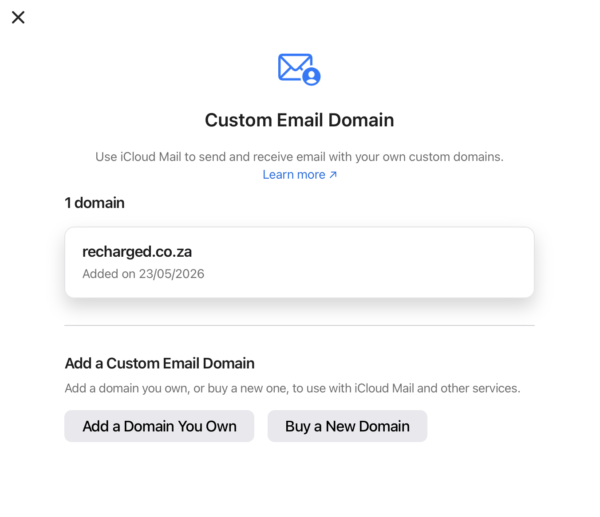
STEP 3: Click on Add a Domain you own
STEP 4: Fill out your info and verify you own it with a code sent to you over email
STEP 5: Update your records with your domain registrar. There are 5 fields of information you need to fill. You do this by logging into your account with your web host provider and go to manage domain or DNS settings. You need to change the MX, TXT, CNAME records so allow Apple to fetch your email. Top Tip: Remove the MX for your previous provider at this step, if you are migrating from another email provider.
STEP 6: You will get a confirmation when it is actioned successfully. It looks like this:
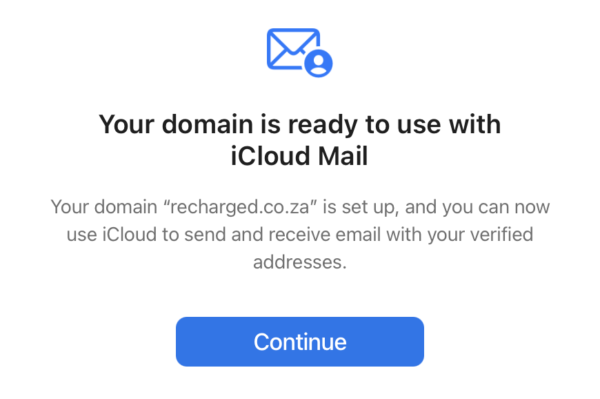
And that’s how easy it is. In all honesty, it should take about 5 minutes to do. Your email will now come through on the Mail app, but provided you have an existing (free) iCloud email.


Recharged is an independent site that focuses on technology, electric vehicles, and the digital life by Nafisa Akabor. Drawing from her 19-year tech journalism career, expect news, reviews, how-tos, comparisons, and practical uses of tech that are easy to digest. Nafisa is a traveller at heart, having been to 46 countries and counting. Find her edutainment videos covering tech, EVs and travel on TikTok.