

Automating the most mundane household chores is always a win for me. It’s why robot vacuums have become the hardest-working “employees” in my smart home.
You can schedule you clean ups before getting out of bed or if traveling, have it clean before you get back home. But robovacs are also fantastic because they don’t require human intervention. The best part for me: it will always be more powerful than any human, i.e., me.
We’ve come a long way from basic bumpers to machines like the Xiaomi X10+, which felt like a revelation when it first launched with its self-cleaning dock.
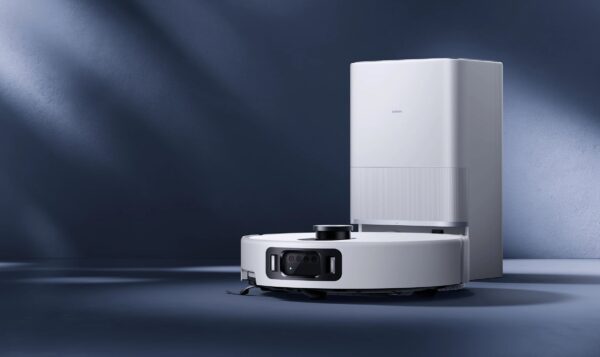
But Xiaomi’s latest flagship, the Robot Vacuum Cleaner 5 Pro, takes things to a new level. It boasts a massive 20 000Pa suction power and has a clever retractable radar system designed to finally tackle those dusty spots under the bed without the robot getting its “head” stuck.
In a world where we are all looking for more efficiency and fewer manual deep cleans, this “self-driving car” for your floors promises to be the ultimate hands-off experience.
Xiaomi Robot Vacuum Cleaner 5 Pro Quick Look
- Vacuum and mop functions
- 20 000Pa suction power
- 5 200mAh battery
- 140 minutes runtime
- AI Obstacle Avoidance
- Front HD camera
Features
The new Cleaner 5 Pro now has a front HD camera with dual infrared cameras and a 3D IR dot projector. It can identify over 200 types of objects and 47 types of dirt, according to Xiaomi. I have to be honest, I didn’t know you get 47 types of dirt.
It also has a nifty “remote monitoring” feature like a roving security guard due to its camera, giving you access to a video feed of your home while it’s doing its rounds.
The suction power is a massive jump from the 4000Pa on the X10+ to 20000Pa on this model, which means way more powerful cleanups.
It also has a 290ml dust box capacity for immediate collection, and it sucks debris into a 2.5L disposable bag. Xiaomi says based on average use; you only need to empty it every 75 days.
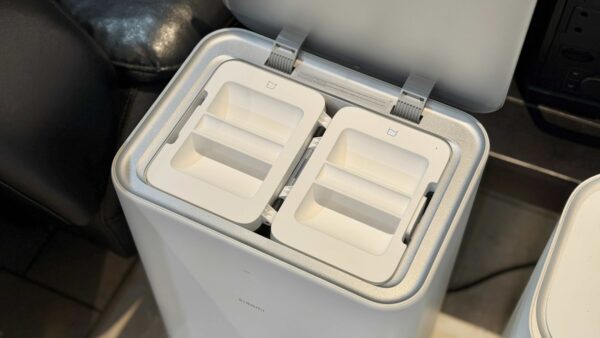
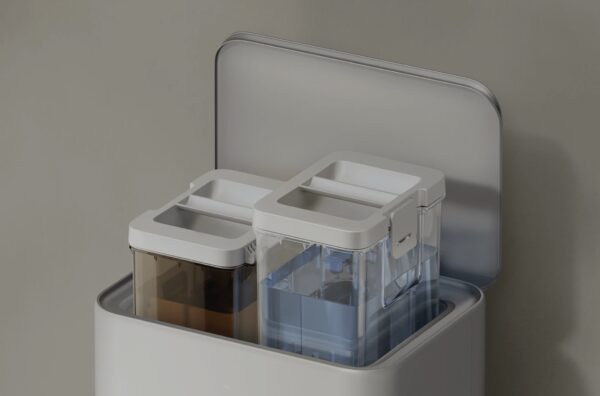
Its dual rotating pads that mop and vacuum can lift 15mm for carpet climbing, while it has a 4L fresh water tank and a 4L dirty water tank. It also has a self-maintenance feature where it cleans itself with hot water and dries it with hot air to avoid a damp smell.
What’s inside the box
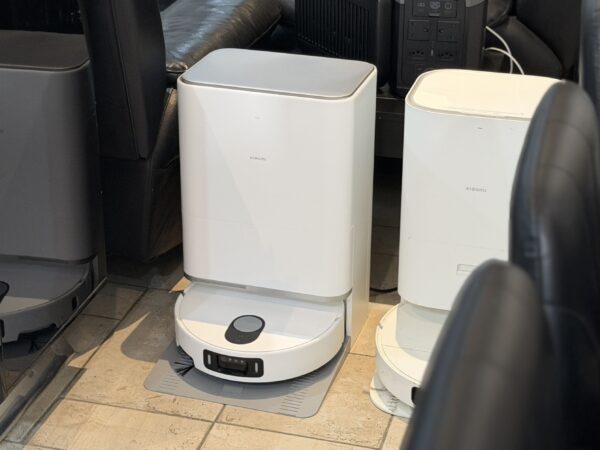
The Xiaomi Robot Vacuum 5 Pro comes with an all-in-one Omni Station with a disposable bag, clean water tank dirty water tank and washboard; a dust compartment; 1x filter; 1x side brush; 1x anti-tangle main brush; 1x brush cover; 1x cord set; 1x washboard base extender; 2x mop pad holders plus 2x pre-installed mop pads; and guides like a user manual and quick start guide.
The base station is quite large, and you may want to think carefully where to place it as you want to avoid moving it once it maps your home. If you do move it, you would have to remap your home as with any robovac with a mapping feature.
Setting it up
It was so easy and seamless to pair the robovac to the Xiaomi Home app. As you would expect, you need to be registered and logged into the app before you can add devices to it.
You simply switch the robot vacuum on and activate pairing mode by holding the power and recharge buttons for around 7 seconds. There is a voice prompt to tell you it’s waiting to be configured.
On the app, just tap the + button to add a new device. You can then assign it to a room. Having struggled setting up a previous test device, it was refreshing that it was this quick.
Xiaomi Home App
The app is simple to use. It will ask you to create a map and then the robot vacuum can mission its way around your house. The map can be viewed in 3D or 2D.
Very importantly, clean your rooms by removing objects that it will go around if it’s not in its permanent location. Example, if you leave a chair in the middle of your bedroom, it will record it that way and go around it, but if you move the chair after, it will assume that’s not a spot to clean.
That said, it is tedious to set-up and separate the rooms and save them. Sometimes it may read two rooms if its open plan, as one room.
You can always remap your home if you notice certain things and the way it cleans. What’s great about robovacs with mapping features is that you can create virtual barriers to avoid certain areas, like perhaps by your TV unit or zones you don’t want it to go near.
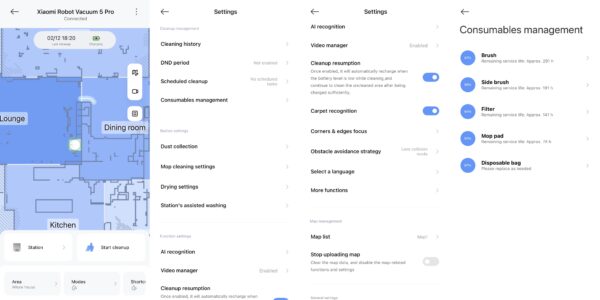
The app’s main landing page will always how you the map and then buttons like “return to station” or “start cleanup”.
You can then choose specific areas. Once the house it mapped, you can name each room and send the robovac to an individual room or the whole house.
The app also has loads of settings like cleaning history, setting up a Do Not Disturb period, schedules, and settings for things like dust collection, mop settings, drying settings, etc.
You can also choose to let it automatically clean itself when it returns to the station.
There’s a bunch of granular controls, like how hot you want the water to be for cleaning the mop (room temp, warm, hot, smart), water output (deep mop washing, daily mop washing), and rewash mop pads according to its dirt level.
You can also choose the drying duration, for drying the mop, between 2-4 hours. Honestly, Xiaomi thought of everything, to the point that I didn’t think certain settings were an option.
Modes on the robovac
When it comes to what it does, it can vacuum; vacuum and mop; vacuum before mopping or just mop.
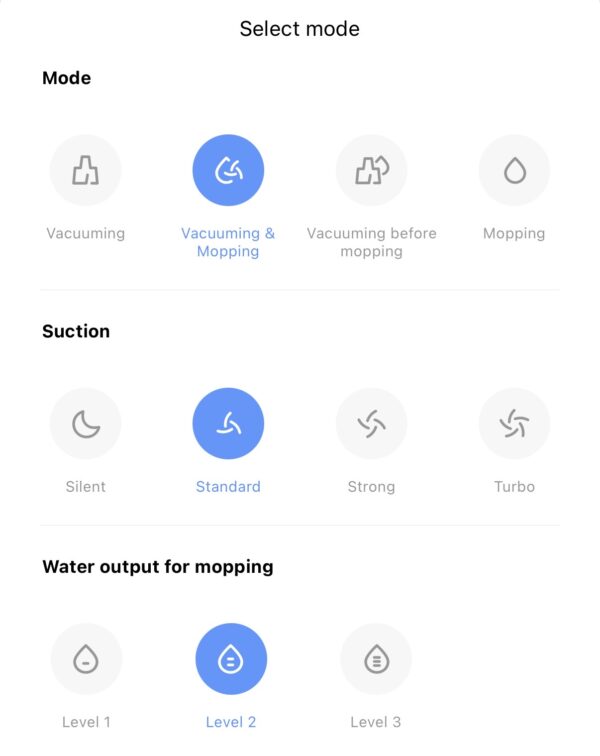
Then you can choose suction: the options are silent, standard, strong and turbo. You may want to use standard on the daily or turbo for a deep clean, and perhaps silent for a quick clean before getting out of bed.
When it comes to water levels, there is level 1-3, this is the output for when it mops your floors and how “wet” you want it to be.
Another configuration is the path it takes; it can be a quick, standard or deep. We have it on standard where it does the borders of the room first and then goes through inside. And you can choose if it cleans it once or twice.

So basically, it’s a lot of options giving you freedom to clean in a way that best suits your current situation whether you spilled stuff on the kitchen floor that would need a turbo mode with level 3 water, or just a standard clean for living areas or silent for certain rooms that you may use occasionally that you don’t want making a noise. Just be aware that turbo mode is extremely loud and distracting.
There’s also your AI features in the app that is optional. You have options to enable AI recognition, dirt recognition and real-scene photo. I found this to be much of a muchness and turned them on, so I can’t say absolutely use these features.
Using the device
Once you have the maps done, and as I mentioned you don’t want to move it from the base station location otherwise you have to remap, it’s simple to operate.
It works with voice commands too, if you pair it to your smart speakers, including Google Home and Amazon Alexa. While it seems futuristic and cool to tell your friends and family, it’s not actually practical. It’s a cute party trick in my opinion.
Once upon a time I asked my smart speaker to start vacuuming and it pulled up a YouTube playlist of vacuum sounds. True story; I never used voice commands again.
The best way to operate it is open the app and send it on-demand, if you have existing help in the home; otherwise, you may want to create a schedule and clean different rooms on each day or whatever suits your household.
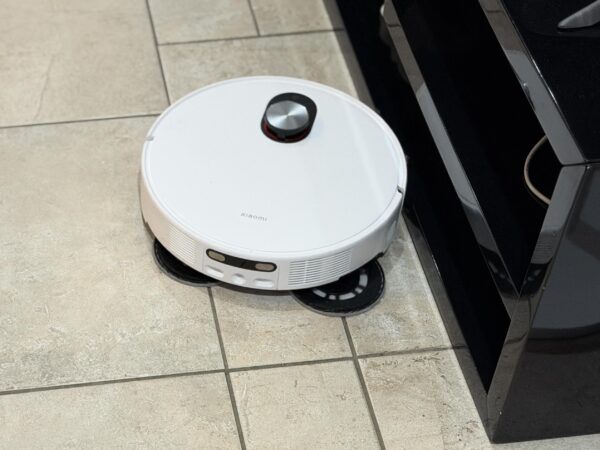
Naturally you want to clean your kitchen after you cook and not go into the kitchen while it’s cleaning otherwise you will be in the way of it trying to clean. It will move around you yes, but I feel it’s best to be another room while clean-up is in progress. It also avoids obstacles or things in the way and can climb by 20mm.
When it goes in a corner, it can extend its brush to reach 90-degree angles, as well as the mop pads extending on the edge of anything, which you will notice as it moves along the side of a wall.
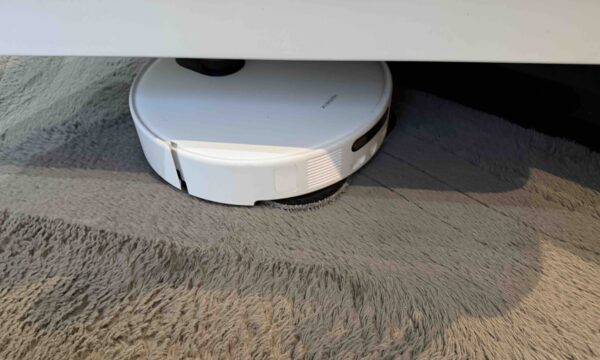
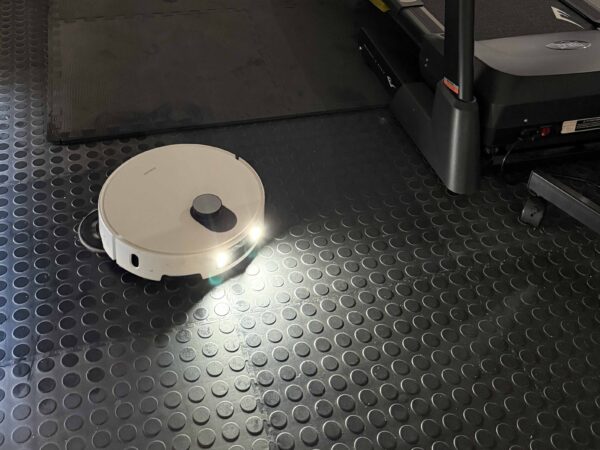
I much prefer it to clean my tiles, hard floors and my gym that has rubber mats, instead of my long hair carpets in the lounge. It does a 15mm lift on the mop pads when on carpet, so they don’t get wet, but I prefer it cleaning my short hair carpets in the bedroom. I would rather get my long hair carpets cleaned manually.
You can also go into the live feed while it’s cleaning to see what it’s doing and either record a view or take a photo. Again, cute party trick but not really something you will use often – it’s not like you don’t trust the machine to do its job.
When I watched the device during its clean-up, on one occasion the pattern it used to clean didn’t make sense to me and I couldn’t understand what it was doing. It supposed to clean in an S shape but I’m not sure what was happening. Anyway, I’ve resorted to not watching it clean.

Under the cleaning history on the app, you can go in and view the path the robovac took to cleaning a particular room. As cool as it sounds, it’s not useful. It’s not like you don’t trust the robovac to do its job.
While the robot cleans and mops hard floors or tiles really well, it must be noted that it does not take detergent like the Hobot Legee, which is one of the few that does take detergent from my testing.
Consumables management
The app also has a consumables management section, which tells you how long you have left for each part.
For example, each part, like brush, side brush, filter, mop pad and disposable bag, you can see how many hours are left of use before replacing. You can get parts at the Xiaomi store or online through various retailers.
Final thoughts
As someone with a cat, I find robovacs extremely useful for clean-ups. I’ve mentioned in previous reviews, it’s also useful if you have kids or allergies; then a robovac is a no brainer.
The Xiaomi Robot Vacuum Cleaner 5 Pro feels like it earns the “pro” in its name purely because of its suction power and smart maintenance using hot water for self-maintenance.
If you have a large home with a lot of hard floors, it becomes the ideal companion, like a ‘set it and forget it’ cleaning solution.
Things to be aware of, you may experience the occasional software glitch from the mapping; it becomes noisy when using turbo mode; or you may not prefer using it on long-haired carpet.
It appears to be the most powerful robovac in South Africa right now, so naturally expect to pay for that. It costs R18 999 on the Xiaomi Store.
7.5 Score
Pros
- Extremely powerful suction at 20 000Pa
- Loads of cleaning modes and granular controls
- Self-maintenance and cleaning mode with hot water
- Brushes and mop pads extend in corners
Cons
- Software may be buggy when reading rooms
- Turbo mode is extremely loud
- Does not take detergent like rivals
Final Verdict
If you have pets, kids or allergies, a robot vacuum quickly becomes essential, and as a cat owner, I found the Xiaomi Robot Vacuum Cleaner 5 Pro makes daily maintenance effortless. It earns the “Pro” name with serious suction power and a hot-water self-cleaning dock, making it ideal for large homes with hard floors. It’s not perfect: mapping can glitch, turbo mode is loud, and long-haired carpets aren’t its strong suit, but in terms of raw cleaning performance, it’s arguably one of the most powerful robovacs in South Africa right now. At R18 999 from the Xiaomi Store, you’re paying for performance and largely getting it.


Recharged is an independent site that focuses on technology, electric vehicles, and the digital life by Nafisa Akabor. Drawing from her 19-year tech journalism career, expect news, reviews, how-tos, comparisons, and practical uses of tech that are easy to digest. Nafisa is a traveller at heart, having been to 46 countries and counting. Find her edutainment videos covering tech, EVs and travel on TikTok.



